SEO Settings
- SEO Title: Klap AI Review: I Turned LoL Gameplay into 6 Shorts
- Slug:
klap-ai-league-of-legends-gameplay-review - Focus Keyword: Klap AI Review
- Meta Description: I tested Klap AI with a 31-minute League of Legends recording. Discover how it automatically created 6 short videos with captions and vertical formatting.
I Tested Klap AI with Real League of Legends Gameplay
Have you ever recorded an entire gaming session but struggled to turn it into short videos?
If you play League of Legends or stream your gameplay, you probably have plenty of interesting moments worth sharing.
The problem is that editing long recordings into YouTube Shorts, TikTok videos, and Instagram Reels takes time.
I wanted to see whether AI could make this process easier.
So, I decided to test Klap AI using my actual League of Legends gameplay recording.
In this article, I’ll show you how I used it, how many clips it generated, and what the results looked like.
1. My Goal: Turn Long Gameplay into Short Videos
My goal was simple.
I wanted to take a regular League of Legends recording and turn it into multiple short videos without manually editing every clip.
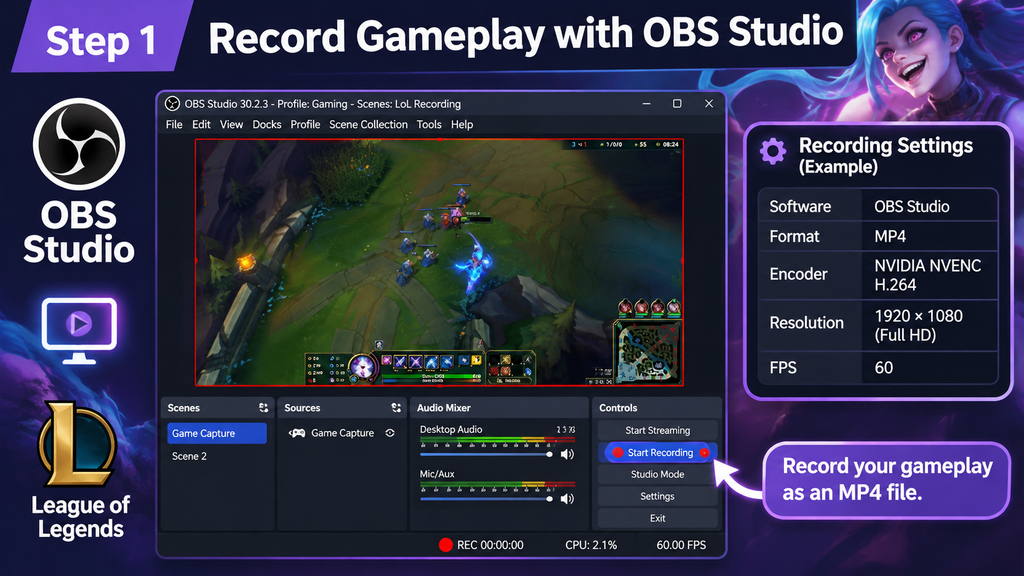
I used OBS Studio to record my gameplay and saved the recording as an MP4 file.
Here was my source video:
| Item | Details |
|---|---|
| Game | League of Legends |
| Recording software | OBS Studio |
| Video format | MP4 |
| Encoder | NVIDIA NVENC H.264 |
| Original video length | 31 minutes 33 seconds |
Instead of manually searching through the entire recording, I decided to let Klap AI handle the initial clip generation.
[IMAGE 1: OBS gameplay recording screenshot]
2. Uploading a Video to Klap Is Simple
One thing I noticed immediately was how straightforward the upload process was.
You don’t need to prepare individual clips or manually edit the original recording before getting started.
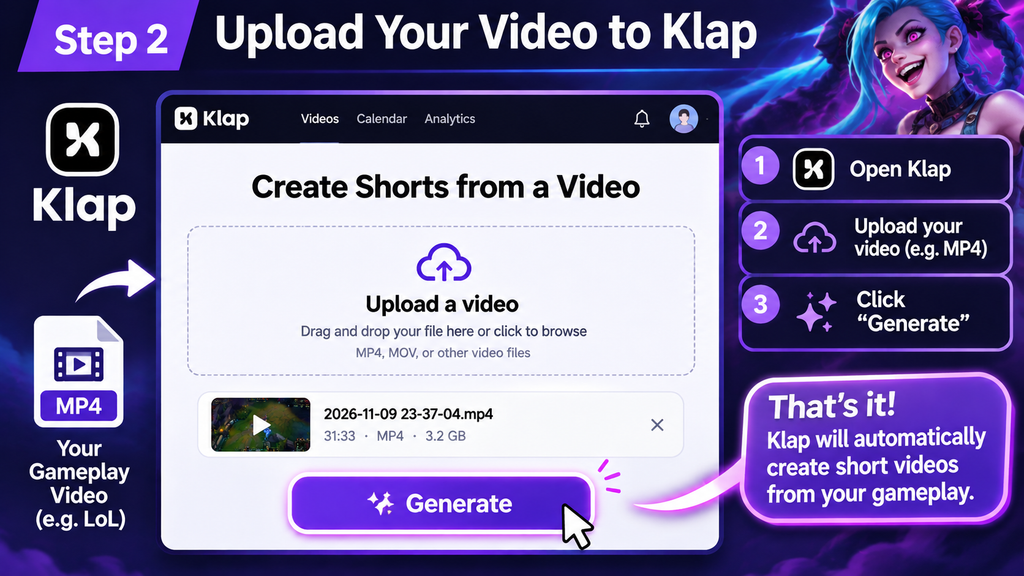
The basic process is:
- Open the Klap dashboard.
- Upload your video file.
- Click the Generate button.
That’s it!
[IMAGE 2: Klap video upload page – screenshot showing the upload area and Generate button]
For my test, I uploaded the 31-minute League of Legends recording.
Klap then started processing the video automatically.
3. Klap Automatically Processes the Video
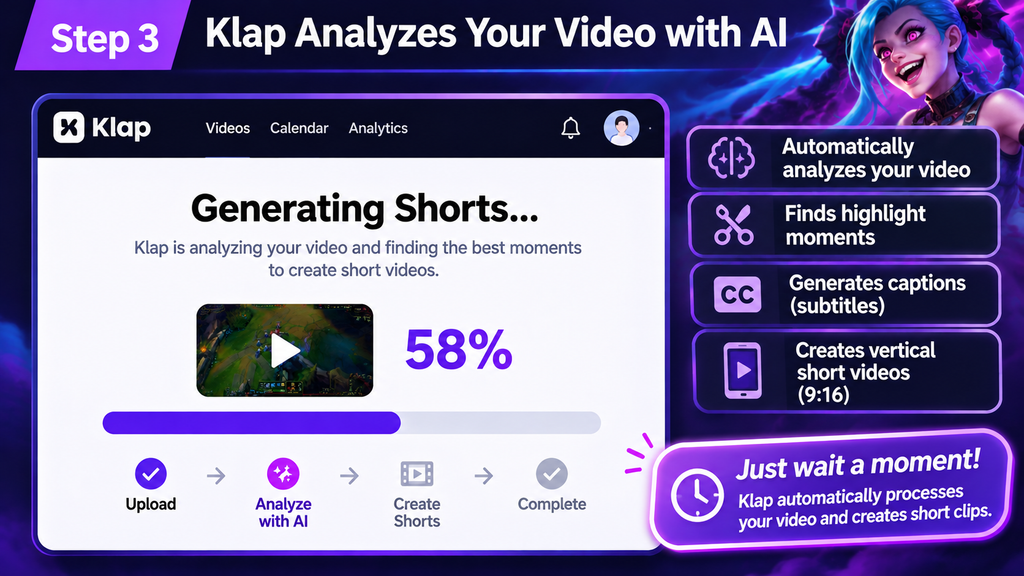
After uploading, Klap began analyzing the recording and preparing the short videos.
The processing screen showed the progress as the video was being analyzed.
During this process, Klap also prepared captions for the generated clips.
I could leave the page while processing continued.
[IMAGE 3: Klap processing screenshot showing 58% progress]
This was useful because I didn’t need to manually cut the original video into smaller sections.
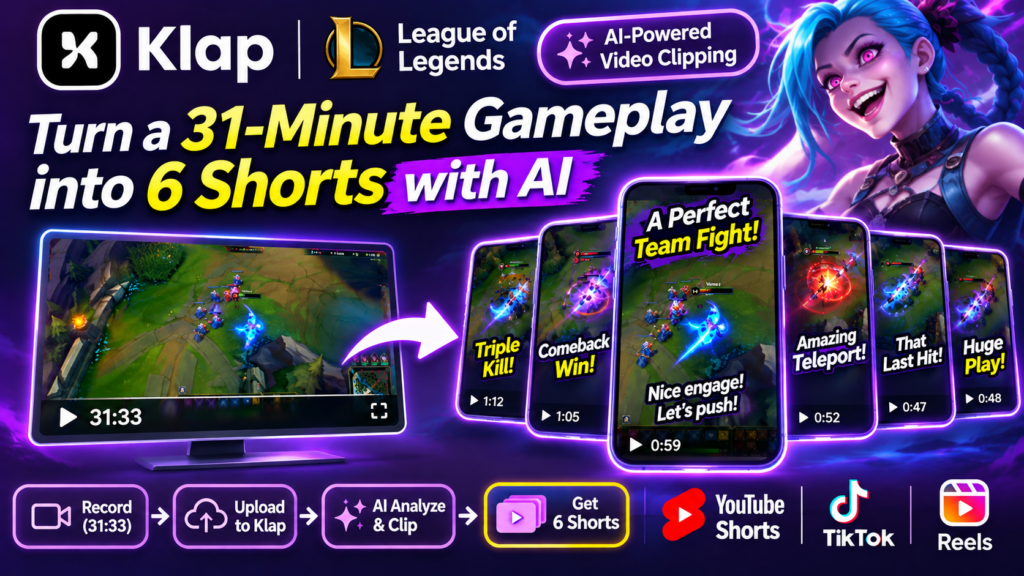
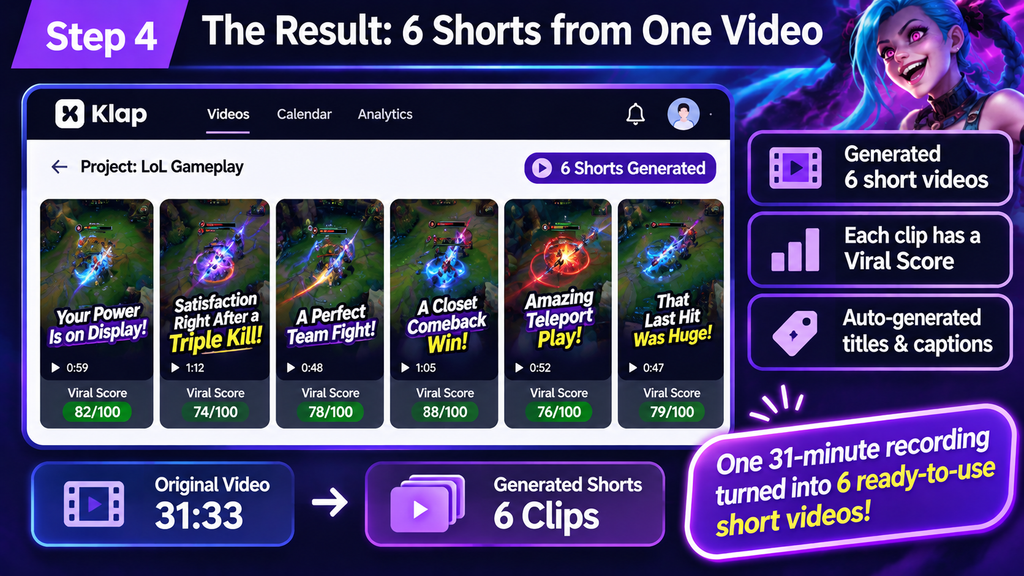
4. The Result: 6 Shorts from One Gameplay Recording
This was the most interesting part of my test.
I uploaded a single 31-minute-and-33-second gameplay recording.
Klap generated 6 short-video candidates from that one video.
Here is a summary of my actual test:
| Item | Result |
|---|---|
| Original recording | 31:33 |
| Generated shorts | 6 |
| Example clip duration | 0:59 |
| Another clip duration | 1:12 |
| Example Viral Score | 74/100 |
| Another Viral Score | 82/100 |
| Language | Japanese |
Each generated clip had its own title and a Viral Score.
For example, one clip was titled:
“Your Power Is on Display!”
Another candidate was titled:
“Satisfaction Right After a Triple Kill”
These titles suggested that Klap had identified different moments in the gameplay that could work as short-form content.
[IMAGE 4: Screenshot showing all 6 generated shorts]
What About the Video Format?
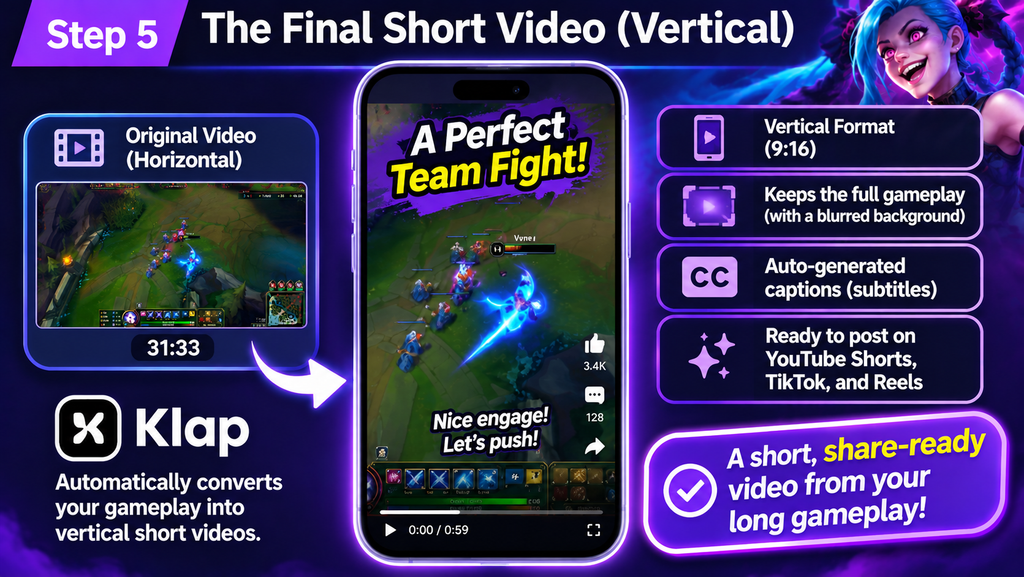
My original recording was horizontal, but the generated clips were formatted vertically.
Klap used the original gameplay footage in the center and filled the remaining space with a blurred background.
This helped preserve more of the original gameplay instead of cropping away important parts of the screen.
[IMAGE 5: Actual generated vertical gameplay video]
Japanese Captions
My gameplay recording contained Japanese audio.
Klap also generated Japanese text and captions for the clips.
This is useful for creators who want to make content for Japanese-speaking audiences.
However, AI-generated captions should still be checked before publishing, especially when gaming terminology, character names, or fast commentary are involved.
5. What I Liked About Klap
Based on this first experiment, there are several things I liked.
Simple Upload Process
The process was straightforward: upload a video and start generation.
There was no need to manually create individual clips first.
Multiple Videos from One Recording
Getting 6 short-video candidates from one recording was the biggest advantage of this test.
Instead of editing each clip separately, I could review the generated candidates and choose which ones I wanted to use.
Automatic Vertical Formatting
Klap converted my horizontal gameplay into vertical videos.
The blurred background made it possible to retain the original gameplay area.
Viral Score
Klap displayed a Viral Score for each candidate.
For example, I saw scores of 74/100 and 82/100.
These scores can help compare candidates, although they should not be considered a guarantee of views or engagement.
6. Things to Check Before Publishing
Although automatic generation is convenient, I wouldn’t recommend publishing every clip without reviewing it.
For gaming videos, I would pay particular attention to:
- Whether the selected moment is actually entertaining.
- Whether the beginning of the clip grabs attention.
- Whether Japanese captions are accurate.
- Whether important gameplay elements remain visible.
- Whether the clip ends at the right moment.
AI can reduce editing work, but the creator still needs to decide which clips are worth publishing.
7. Is Klap Worth Trying for Gaming Creators?
After this first test, I think Klap is worth considering if you regularly record long gameplay sessions.
The most impressive part was being able to turn one 31-minute recording into 6 short-video candidates.
This could be useful for:
- League of Legends players and streamers.
- Gaming YouTubers.
- Twitch content creators.
- Creators who want to post on YouTube Shorts and TikTok.
- Anyone who wants to reduce repetitive video-editing work.
If you already have hours of gameplay recordings sitting on your computer, Klap could be a useful way to start turning that footage into short-form content.
8. Try Klap AI
Want to turn your own gaming recordings into short videos?
You can try Klap here:
Try Klap AI – Get 30% Off Your First Month
Use the promotional code YUSUKE5 for the eligible first-month offer.
You can also check the Klap pricing page for plan details.
Final Thoughts
I tested Klap AI using a real League of Legends gameplay recording.
The original video was 31 minutes and 33 seconds long, and Klap generated 6 short-video candidates.
What I liked most was the simplicity of the workflow.
Upload a video, click Generate, and let AI do the initial editing work.
You still need to review the results, but it can make the process of creating short-form gaming content much easier.
For gaming creators who want to get more content out of their existing recordings, Klap is definitely worth testing.
Affiliate Disclosure: This article contains affiliate links. If you sign up through my link, I may earn a commission at no additional cost to you.