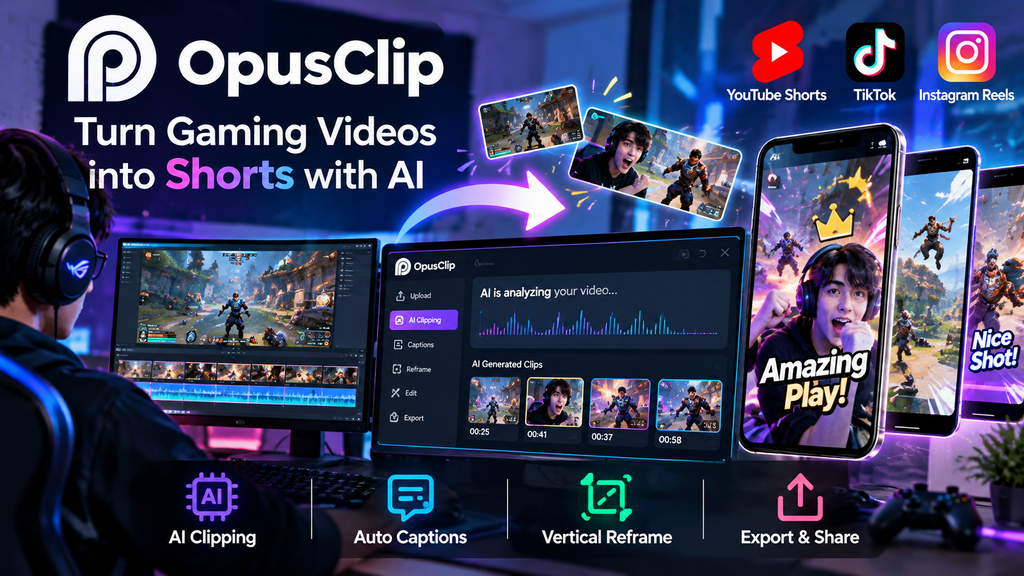
Creating short-form videos from long gaming videos can take a lot of time.
If you regularly upload gameplay videos, livestreams, or gaming content to YouTube, TikTok, or Instagram, finding the best moments and editing them into Shorts can become a tedious task.
OpusClip uses AI to help automate this process.
It can analyze long videos, identify potentially engaging moments, create short clips, generate captions, and reframe videos for vertical platforms.
In this guide, we’ll explain what OpusClip is, how to use it, its pricing, and how gamers can use it to create Shorts more efficiently.
What Is OpusClip?
OpusClip is an AI-powered video editing tool designed to turn long-form videos into short-form content.
Instead of manually watching an entire video to find interesting moments, you can upload your video and let AI analyze the content.
OpusClip can then generate multiple short clips that you can review and edit before publishing.
It can be useful for:
- Gaming videos
- Livestreams
- Podcasts
- Interviews
- YouTube videos
- Vlogs
- Educational content
For gaming creators, this can be especially useful when you have hours of gameplay or livestream footage that could potentially be turned into multiple Shorts.
What Can OpusClip Do?
AI-Powered Clip Generation
One of the main features of OpusClip is its AI-powered clipping system.
After uploading a long video, OpusClip analyzes the content and identifies moments that may work well as short-form videos.
This can significantly reduce the amount of time you spend searching through long recordings.
Automatic Captions
OpusClip can automatically generate captions from your video’s audio.
You can then review and edit the captions before publishing your video.
Captions are particularly useful for short-form content because many people watch Shorts and other social media videos without sound.
Vertical Video Reframing
Most gaming videos are recorded in a horizontal format.
However, platforms such as YouTube Shorts, TikTok, and Instagram Reels are designed primarily for vertical video.
OpusClip can automatically reframe your video for vertical formats, making your original footage more suitable for short-form platforms.
Multiple Short Clips from One Video
One long gaming session can potentially produce multiple short videos.
For example:
1-hour gaming livestream
↓
Upload to OpusClip
↓
AI analyzes the video
↓
Multiple short clips
↓
Review and edit
↓
Publish to YouTube Shorts, TikTok, or Instagram Reels
This workflow can make it much easier to consistently create short-form content.
How to Use OpusClip
1. Create an OpusClip Account
First, visit the OpusClip website and create an account.
You can start with the free plan to test the service before deciding whether you need a paid plan.
Try OpusClip
[Insert your GameToolly affiliate link here]
2. Upload Your Video
After logging in, upload the video you want to turn into short clips.
For gaming creators, this could be:
- A YouTube video
- A livestream recording
- A gaming session
- A gaming tournament recording
- A commentary video
Long-form videos are particularly useful because you can potentially create several Shorts from a single recording.
3. Let AI Analyze Your Video
Once the video has been uploaded, OpusClip analyzes the content.
The AI looks for sections that may work well as short-form videos and generates potential clips.
For gaming content, interesting moments can include:
- Funny reactions
- Unexpected plays
- Impressive gameplay
- Close victories
- Fails
- Surprising moments
- Funny conversations
4. Review the Generated Clips
Once OpusClip finishes processing the video, review the generated clips.
Not every AI-generated clip will be perfect.
It’s a good idea to watch each clip and choose the ones that are actually interesting to your audience.
You can also make additional edits before publishing.
5. Edit the Captions
Check the automatically generated captions and correct any mistakes.
This is particularly important for gaming videos because game names, character names, player names, and gaming terminology can sometimes be transcribed incorrectly.
6. Export Your Short
Once you’re happy with the result, export the video.
You can then upload it to platforms such as:
- YouTube Shorts
- TikTok
- Instagram Reels
How Gamers Can Use OpusClip
OpusClip can be particularly useful for gaming creators who regularly stream or upload long videos.
Imagine you stream for three hours.
Manually watching the entire recording and finding interesting moments could take several hours.
Instead, you can use OpusClip to generate potential clips first.
Your workflow could look like this:
Long gaming session
↓
OpusClip
↓
AI-generated clips
↓
Choose the best moments
↓
Edit captions
↓
Publish Shorts
This doesn’t completely replace human editing, but it can significantly reduce the amount of time spent finding potential clips.
OpusClip Pricing
OpusClip offers both free and paid plans.
The available plans, prices, and features can change over time, so it’s a good idea to check the official pricing page before subscribing.
The available plans include options for users who want to try the service for free as well as users who need more credits and advanced features.
If you’re new to OpusClip, starting with the free plan can be a good way to see whether it fits your workflow before paying for a subscription.
Pros of OpusClip
Saves Time
You don’t have to manually search through an entire long video before deciding which moments might work as Shorts.
Easy to Repurpose Long Videos
A single long-form video can potentially become several pieces of short-form content.
Automatic Captions
AI-generated captions can save additional editing time.
Useful for Gaming Creators
Gaming livestreams and long gameplay videos can provide a large amount of content to repurpose.
Beginner-Friendly
You don’t need advanced video editing skills to get started.
Cons of OpusClip
OpusClip isn’t perfect.
AI-generated clips should always be reviewed before publishing.
Sometimes the AI may select a moment that doesn’t make sense without additional context, or it may miss a moment that you personally consider more entertaining.
Free and paid plans also have different usage limits and features.
For the best results, think of OpusClip as an AI assistant for video editing rather than a complete replacement for human editing.
Is OpusClip Worth It for Gaming Creators?
If you regularly create gaming content, OpusClip can be a useful addition to your workflow.
It is especially useful if you already have a large amount of long-form content but don’t have enough time to manually turn every video into Shorts.
Instead of starting each Short from scratch, you can use AI to generate potential clips and then focus your time on selecting and polishing the best ones.
OpusClip vs. Traditional Video Editing
Traditional video editing gives you complete control over every part of your video, but it can take a significant amount of time.
You may need to:
- Watch the original footage
- Find interesting moments
- Cut the footage
- Add captions
- Adjust the framing
- Resize the video for different platforms
- Export the final video
OpusClip can automate much of this initial process.
That makes it particularly useful for creators who want to produce more content without spending hours editing every video manually.
Tips for Getting Better Results with OpusClip
Start with Good Source Material
The better your original video is, the easier it is to create engaging Shorts.
Gaming videos with reactions, commentary, exciting gameplay, or funny moments can provide more opportunities for interesting clips.
Don’t Publish Every AI-Generated Clip
AI can generate multiple suggestions, but not every clip will be worth publishing.
Choose the clips that are most entertaining or useful for your audience.
Check Captions Before Publishing
Always review automatically generated captions.
Correcting a few mistakes before publishing can make your videos look much more professional.
Add Your Own Style
Even if AI handles most of the editing, adding your own style can help your content stand out.
Consider using consistent captions, titles, or editing patterns across your videos.
Who Should Use OpusClip?
OpusClip can be a good option for:
- Gaming creators
- YouTubers
- Twitch streamers
- TikTok creators
- Podcast creators
- Livestreamers
- Content creators who want to repurpose existing videos
It is particularly useful for creators who already have long-form content but struggle to find the time to create short-form videos.
Frequently Asked Questions
Is OpusClip free?
Yes. OpusClip offers a free option, although free usage comes with limitations.
Can I use OpusClip for gaming videos?
Yes. Gaming videos and gameplay content can be used with OpusClip.
Can OpusClip create YouTube Shorts?
Yes. OpusClip is designed to help transform long-form videos into short-form content suitable for platforms such as YouTube Shorts.
Does OpusClip automatically add captions?
Yes. OpusClip can automatically generate captions from your video’s audio.
Do I need video editing experience?
No. OpusClip is designed to simplify the video editing process, making it accessible even if you don’t have advanced editing experience.
Can I use OpusClip for livestream recordings?
Yes. Long livestream recordings can be a useful source for creating multiple short-form clips.
Final Thoughts
OpusClip can make it much easier to turn long gaming videos into short-form content.
Instead of spending hours searching through livestream recordings for interesting moments, you can let AI generate potential clips and then focus on reviewing and improving the best ones.
For gaming creators who want to consistently post on YouTube Shorts, TikTok, or Instagram Reels, OpusClip is worth trying.
If you already have hours of gaming footage sitting on your computer or YouTube channel, an AI-powered clipping tool can help you turn that existing content into more opportunities to reach new viewers.
Ready to turn your gaming videos into Shorts?
Try OpusClip today.