Creating gaming content often means spending hours recording voiceovers, retaking lines, and editing audio.
With ElevenLabs, creators can generate natural-sounding AI voices from text, making it easier to create gaming videos, Shorts, tutorials, character dialogue, and other content.
In this guide, we’ll show you how to use ElevenLabs for gaming content and how AI voiceovers can improve your video production workflow.
What Is ElevenLabs?
ElevenLabs is an AI audio platform that can generate realistic speech from text.
It offers a large library of AI voices, voice design, voice cloning, dubbing, and other audio tools. ElevenLabs also supports gaming use cases, including character voices and interactive content. ElevenLabs
For gaming creators, one of the biggest advantages is that you can create voiceovers without recording every line yourself.
Why Use ElevenLabs for Gaming Content?
There are several ways gaming creators can use ElevenLabs.
1. Create YouTube Voiceovers
You can write a script and turn it into an AI voiceover.
For example:
- Gaming news videos
- Game reviews
- Tutorials
- Challenge videos
- Gameplay commentary
- YouTube Shorts
This can be especially useful if you don’t want to record your own voice.
2. Create Character Voices
Gaming content often becomes more entertaining when different characters have different voices.
With ElevenLabs, you can choose different voices or create custom voices for characters.
You can use different voices for:
- NPC-style characters
- Storytelling
- Comedy videos
- Roleplay content
- Game-related animations
3. Create Short-Form Gaming Videos
Shorts and other short-form videos need to communicate information quickly.
AI voiceovers can help you create narration without spending time recording and re-recording audio.
For example:
“Here are three mistakes you should never make in ranked games.”
You can generate the narration, add it to your video, and then edit the footage around it.
How to Use ElevenLabs
Getting started is simple.
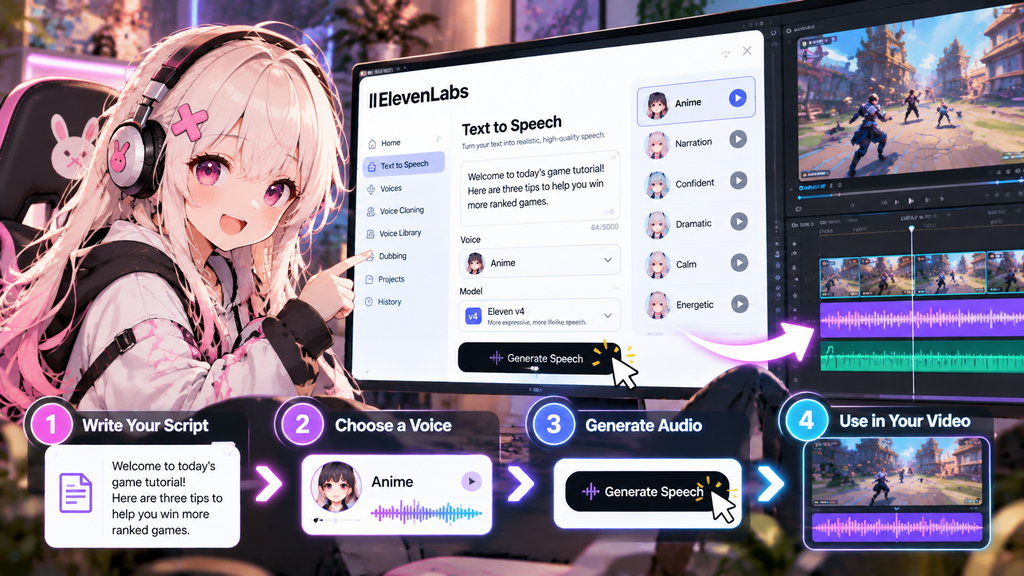
Step 1: Create an ElevenLabs Account
Visit ElevenLabs and create an account.
You can start with the free option before deciding whether you need a paid plan.
Step 2: Choose a Voice
Open the text-to-speech tool and select a voice that matches your content.
Consider the type of gaming content you’re making.
For example:
- Energetic voice → gameplay highlights
- Calm voice → tutorials
- Dramatic voice → storytelling
- Character voice → comedy or roleplay
ElevenLabs currently offers thousands of voices and allows creators to create or customize voices for different projects. ElevenLabs
Step 3: Write Your Script
Enter the text you want the AI voice to read.
For gaming videos, short sentences usually work well.
For example:
“This weapon looks weak at first, but there’s one hidden mechanic that makes it extremely powerful.”
Instead of writing a huge paragraph, break your script into smaller sections.
Step 4: Generate the Voiceover
Generate the audio and listen to the result.
If the delivery doesn’t fit your video, try another voice or adjust the script.
The latest Eleven v4 model is designed to provide more expressive speech, including changes in tone, pacing, emotion, and context. ElevenLabs
Step 5: Add the Audio to Your Video
Download the generated audio and import it into your video editor.
You can then combine it with:
- Gameplay footage
- Background music
- Sound effects
- Captions
- Images
- Transitions
For example, you can use OpusClip to help turn longer gaming videos into short-form content.
Best Ways to Use ElevenLabs for Gaming Videos
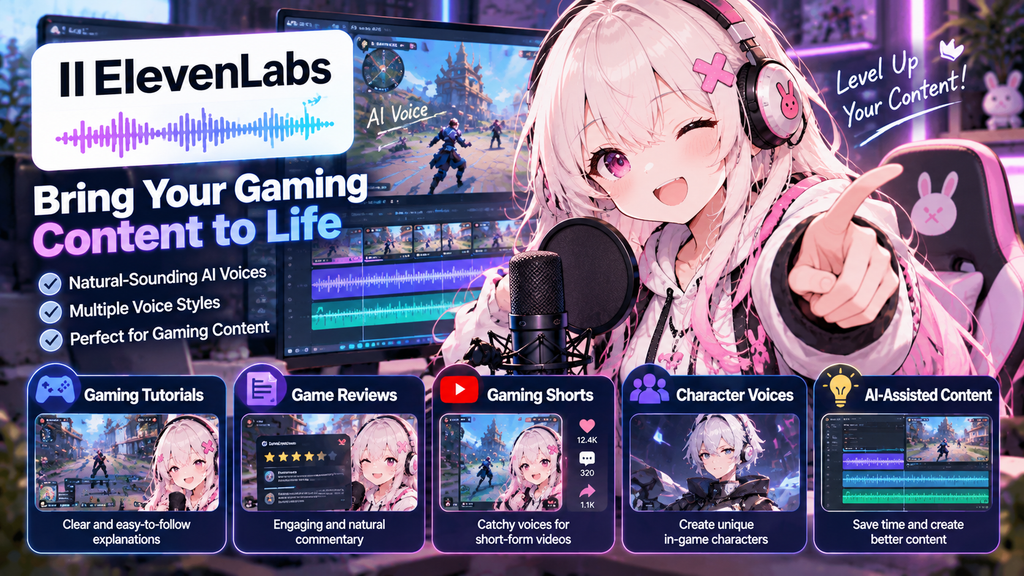
Gaming Tutorials
Explain strategies, mechanics, builds, or tips with AI narration.
Gaming News
Create quick news videos without needing to record your voice every time.
Gaming Shorts
Use short AI voiceovers to explain gameplay clips.
Game Reviews
Create structured narration for longer review videos.
Character-Based Content
Use different voices to make characters feel more distinct.
ElevenLabs Pricing
ElevenLabs offers a free plan as well as paid plans.
The current text-to-speech pricing page lists plans including Free, Starter, Creator, and Pro. The Creator plan is currently listed at $22/month, while the Starter plan is $6/month. Prices and included credits can change, so check the official pricing page before subscribing. ElevenLabs
For beginners, starting with the free plan is a good way to determine whether AI voice generation fits your workflow.
ElevenLabs vs Recording Your Own Voice
| Feature | ElevenLabs | Your Own Voice |
|---|---|---|
| Recording required | No | Yes |
| Retakes | Easy | Time-consuming |
| Consistent voice | Easy | Depends on recording |
| Character voices | Many options | Limited |
| Editing workflow | Fast | More work |
| Personal voice | Voice cloning available | Your natural voice |
Neither option is automatically better.
If your personality and commentary are the main attraction of your channel, your real voice may be better.
If you want to produce narration quickly or create different character voices, ElevenLabs can be extremely useful.
Tips for Better AI Voiceovers
Keep Sentences Short
Short sentences generally make narration easier to follow.
Match the Voice to the Content
A dramatic voice may work well for a story but feel strange in a casual gameplay video.
Add Captions
Captions make gaming Shorts easier to follow, especially when viewers are watching without sound.
Don’t Overuse AI Voices
AI narration works best when it supports the content rather than becoming the entire focus of the video.
Is ElevenLabs Worth It for Gaming Creators?
If you regularly create gaming videos, ElevenLabs can save time by reducing the amount of voice recording required.
It’s particularly useful for creators who make:
- Gaming Shorts
- Tutorials
- Reviews
- Gaming news
- Character-based videos
- AI-assisted content
The free plan also makes it relatively easy to test the service before paying for a subscription.
Final Thoughts
ElevenLabs makes it possible to create natural-sounding AI voiceovers without recording every line yourself.
For gaming creators, it can be used for YouTube videos, Shorts, tutorials, gaming news, character voices, and more.
Combined with video editing tools such as OpusClip, AI voice generation can become part of a much faster gaming content workflow.
Want to try ElevenLabs?