Discord is one of the most popular platforms for gaming communities. Whether you run a small group of friends, a competitive gaming team, or a large gaming server, the right Discord bots can make your community easier to manage.
From moderation and welcome messages to gaming statistics and community engagement, bots can automate repetitive tasks and improve the experience for your members.
In this guide, we’ll explore useful Discord bots for gaming communities, explain what each one does, and help you choose the right tools for your server.
Affiliate disclosure: This article may contain affiliate links. If you purchase through qualifying links, we may earn a commission at no additional cost to you.
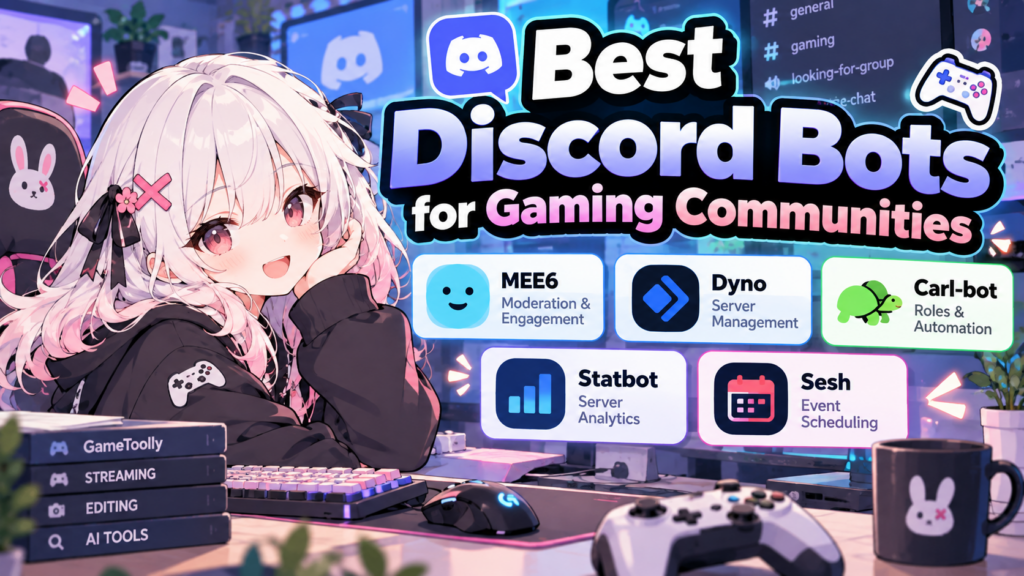
Quick Comparison: Discord Bots for Gaming
| Bot | Best For | Main Use |
|---|---|---|
| MEE6 | General gaming servers | Moderation and engagement |
| Dyno | Server administration | Automated moderation |
| Carl-bot | Organized communities | Reaction roles and automation |
| Statbot | Server analytics | Activity statistics |
| Sesh | Gaming sessions | Event scheduling |
Features and pricing can change, so check each bot’s official website before adding it to your server.
1. MEE6: An All-in-One Bot for Gaming Servers
MEE6 is a well-known Discord bot that offers tools for managing and engaging a community. It can be useful for gaming servers that want to automate common tasks without managing multiple separate bots.
Key Features
- Moderation tools to help manage server behavior
- Welcome messages for new members
- Engagement and leveling features
- Custom commands and automation options
How to Use MEE6
- Visit the official MEE6 website.
- Connect your Discord account.
- Select the server where you have permission to add bots.
- Choose the features you need.
- Test the configuration with a small group before rolling it out to everyone.
Best for: Gaming communities that want a range of server management features in one place.
Official website: https://mee6.xyz/
2. Dyno: Moderation and Server Management
Dyno is a Discord bot focused on server administration and moderation. It can help server owners enforce rules and reduce the amount of manual work required from moderators.
Key Features
- Automated moderation settings
- Custom commands
- Logging and server management tools
- Configurable rules and responses
How to Use Dyno
- Open the official Dyno website.
- Invite Dyno to your Discord server.
- Review its permissions carefully.
- Configure moderation rules that match your community guidelines.
- Test the settings to avoid accidentally restricting normal conversations.
Best for: Gaming servers that need consistent moderation and clearer administration workflows.
Official website: https://dyno.gg/
3. Carl-bot: Roles and Community Organization
Carl-bot is useful for gaming servers that need organized roles and automated interactions. For example, members could select their preferred game, platform, region, or gaming role.
Key Features
- Reaction roles
- Automated moderation
- Custom tags and commands
- Logging and server organization features
How to Use Carl-bot
- Visit the official Carl-bot website.
- Invite the bot to your server.
- Create roles for games, platforms, or player preferences.
- Configure a role-selection message.
- Test the process using a regular member account.
Best for: Communities with multiple games, teams, regions, or player roles.
Official website: https://carl.gg/
4. Statbot: Understand Your Gaming Community
Statbot helps server owners understand activity within their Discord communities. Instead of guessing when members are active, administrators can use server statistics to make more informed decisions.
Key Features
- Server activity statistics
- Member activity insights
- Historical activity information
- Tools for understanding community engagement
How to Use Statbot
- Visit the official Statbot website.
- Connect your Discord account and add the bot.
- Review the available statistics.
- Identify the times and channels where your community is most active.
- Use those insights to plan events and improve participation.
Best for: Gaming communities that want to understand engagement and plan activities around member behavior.
Official website: https://statbot.net/
5. Sesh: Schedule Gaming Sessions and Events
Getting everyone online at the same time can be difficult, especially when your gaming group has members in different time zones. Sesh helps Discord communities organize events and coordinate schedules.
Key Features
- Event scheduling
- RSVP management
- Time-zone-aware event planning
- Calendar-related features
How to Use Sesh
- Visit the official Sesh website.
- Add the bot to your Discord server.
- Create an event for your next gaming session.
- Let members respond to the event.
- Use the responses to decide when to play.
Best for: Gaming groups, raid teams, esports communities, and regular multiplayer sessions.
Official website: https://sesh.fyi/
How to Choose the Right Discord Bots
You don’t need every bot on this list. Start with the main problem you want to solve.
- For moderation: Consider MEE6 or Dyno.
- For roles and organization: Consider Carl-bot.
- For activity insights: Consider Statbot.
- For scheduling gaming sessions: Consider Sesh.
Before adding any bot, check its current features, pricing, permissions, and privacy information. Give bots only the permissions they need, and avoid installing several bots that perform the same tasks.
Tips for Managing a Gaming Discord Server
Keep Your Bot Setup Simple
Too many bots can create overlapping commands, confusing notifications, and unnecessary permissions. Start with one or two bots and add more only when you have a clear need.
Review Permissions Regularly
A bot may request permissions that are broader than your intended use. Check the requested permissions and the bot’s reputation before granting access.
Make Automation Helpful, Not Annoying
Welcome messages, role selection, and event reminders can make a server easier to use. Excessive automated messages, however, can overwhelm members.
Test Changes Before Applying Them Server-Wide
Use a test channel or a small group to verify new commands and moderation rules before enabling them across the entire community.
Frequently Asked Questions
Are Discord bots free?
Many Discord bots offer free features, while some provide paid plans or premium functionality. Check each bot’s official website for current pricing and limitations.
Can I use multiple Discord bots in one gaming server?
Yes. You can use multiple bots together, but avoid overlapping features and review each bot’s permissions.
Are Discord bots safe?
Safety depends on the bot, its developer, its permissions, and how it is configured. Use official invitation links, research the developer, and grant only the permissions required.
Which Discord bot is best for a small gaming community?
For a small server, start with a bot that solves your most immediate problem, such as moderation, role selection, or event scheduling. Add more tools as the community grows.
Looking to improve your entire gaming content workflow? Check out our guides on Streamlabs for gaming streams and vidIQ for gaming YouTube channels.
Final Thoughts
The best Discord bots for gaming communities are the ones that solve real problems without making your server unnecessarily complicated.
MEE6 and Dyno can help with administration, Carl-bot can organize roles, Statbot can provide activity insights, and Sesh can make gaming sessions easier to coordinate.
Start with the features your community needs most, test each bot carefully, and build a setup that makes it easier for members to play, communicate, and stay connected.